
Open source · MIT · Windows today
One bay. Every coding agent.
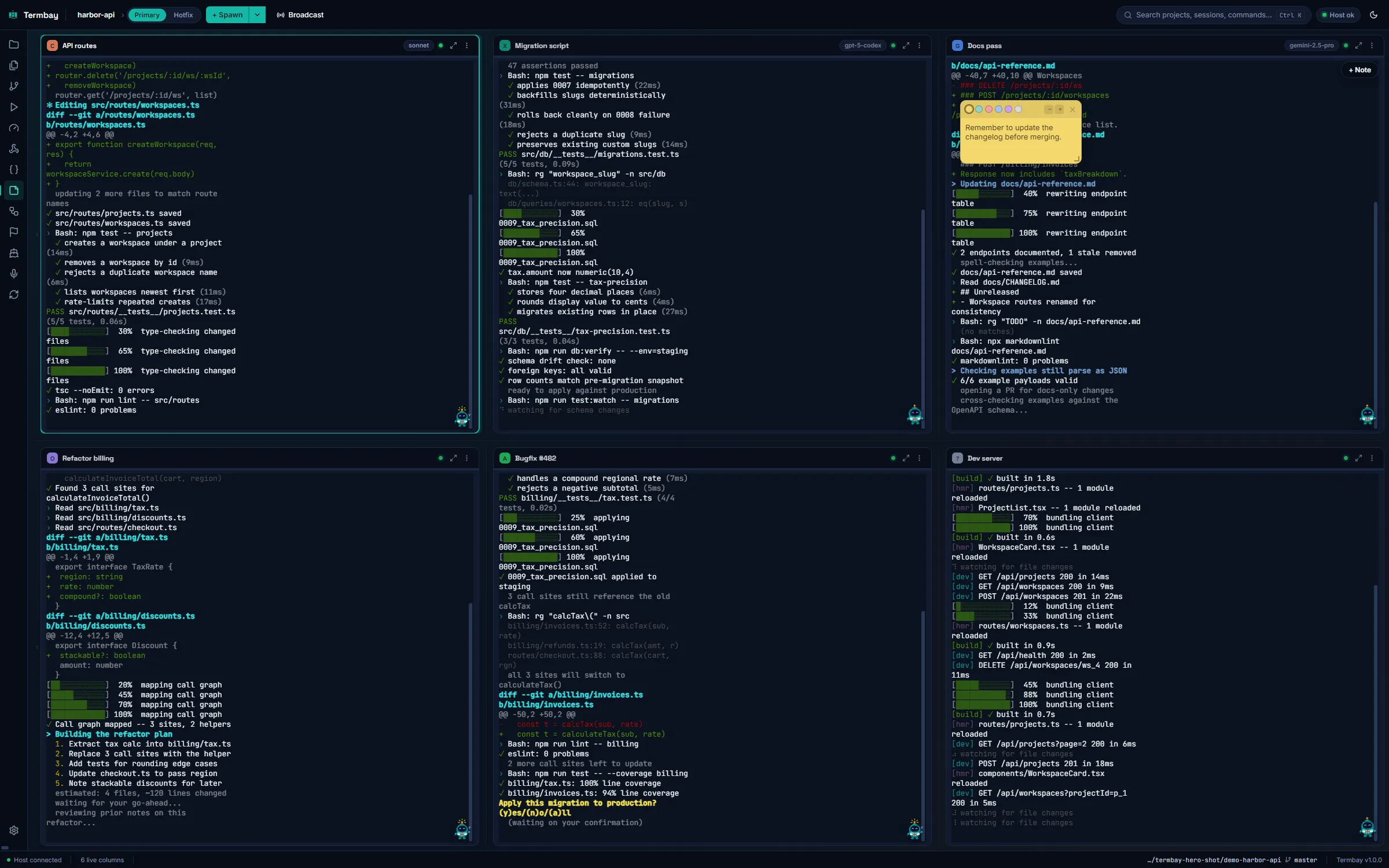
Termbay docks any number of AI coding CLIs — Claude Code, Codex, Gemini CLI, OpenCode, Aider, Cursor Agent, GitHub Copilot CLI, Amp, and unlimited custom commands — side by side in one resizable terminal grid, organized by project and workspace.
Every agent, one bay
Provider-agnostic by design
Every coding-agent CLI is described by one declarative adapter, so adding a ninth provider means adding one data file — not redesigning the UI.
- CC Claude Code
- CX Codex CLI
- GM Gemini CLI
- OC OpenCode
- AI Aider
- CU Cursor Agent
- GH GitHub Copilot CLI
- AM Amp
- + Custom
| Provider | Spawn | Resume | Models | Effort | Permission modes | Transcripts | Usage | Cost | Headless | Context window | MCP | Background jobs |
|---|---|---|---|---|---|---|---|---|---|---|---|---|
| Claude Code | supported | supported | supported | supported | supported | supported | supported | supported | supported | supported | supported | not supported |
| Codex CLI | supported | supported | supported | supported | supported | supported | supported | supported | supported | supported | supported | supported |
| Gemini CLI | supported | not supported | supported | not supported | supported | not supported | not supported | not supported | supported | not supported | supported | not supported |
| OpenCode | supported | supported | supported | not supported | not supported | not supported | not supported | not supported | supported | not supported | supported | not supported |
| Aider | supported | not supported | supported | not supported | supported | not supported | not supported | not supported | supported | not supported | not supported | not supported |
| Cursor Agent | supported | supported | supported | not supported | supported | not supported | not supported | not supported | supported | not supported | supported | not supported |
| GitHub Copilot CLI | supported | supported | supported | not supported | supported | not supported | not supported | not supported | supported | not supported | supported | not supported |
| Amp | supported | supported | not supported | not supported | not supported | not supported | not supported | not supported | supported | not supported | supported | not supported |
| Custom | supported | not supported | not supported | not supported | not supported | not supported | not supported | not supported | not supported | not supported | not supported | not supported |
Claude Code and Codex get the deepest support today (resume-by-session,
transcript discovery, usage/cost/context window). Every other adapter
is intentionally shallow and easy to extend — see the provider
adapters in src/shared/providers/adapters/.
Grid & workspaces
Rows, columns, and as many agents as you want
A resizable, drag-reorderable terminal grid puts every agent session side by side. Drag-resize columns and rows with persisted ratios, drag a column between rows, maximize one in place, and split a project into named workspaces — like one per feature branch — each with its own independent layout.
- Drag-resize with ratio persistence, drag-reorder columns and rows
- Maximize-in-row, custom titles, activity indicators
- Per-column provider color chip + a live context meter
- Projects & workspaces: atomic JSON persistence, never silent data loss

Broadcast
One prompt, every column that matters
Select the columns you want and send a single prompt to all of them at once — compare how Claude Code, Codex, and Gemini CLI each approach the same task, or fan a refactor out across worktrees.
Spawn, endpoints & profiles
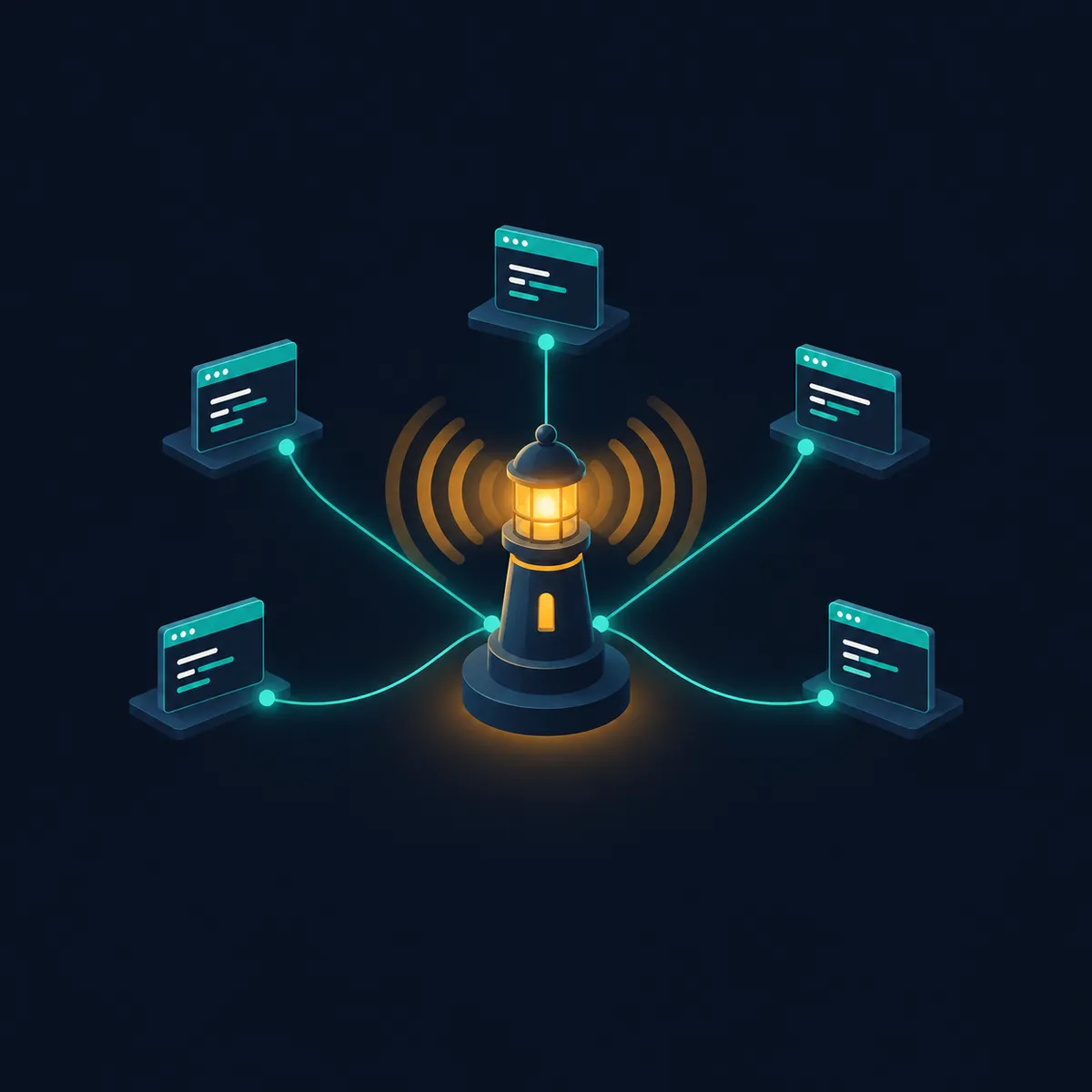
Spawn exactly the session you need
The spawn popover controls provider, model, effort, permission mode, git-worktree isolation, bare/skip-extras, MCP-strip, headless, and extra CLI args. Named endpoint presets fail over automatically, and multi-account cascade resolution (column -> workspace -> project -> global -> Primary) is a true no-op if you only have one account.
- Endpoints & subscription profiles encrypted at rest
- Automatic failover between named base-URL/token presets
- Cascade resolution across column, workspace, project, and global scope
Usage & context
Know your limits before you hit them
Summary, Daily, Sessions, and Cost tabs are backed by real Claude Code transcript and Codex rollout parsing. A provider without usage data honestly reports 'not available' instead of a fabricated number, and Claude's 5h/weekly windows are clearly labeled estimated versus Codex's live ones.

Automations & findings
Let agents run unattended, safely
Scheduled or manually-triggered headless agent runs, with a global-pause switch, a FIFO concurrency queue, repo-isolation clone hygiene, and fail-open usage gates. An optional pipeline supervisor retries a failing agent up to a budget before escalating to a human. Anything an automation flags lands in a durable, fingerprint-deduped findings inbox — delivered at-most-once, with retention that never evicts an unanswered decision.
- Interval, daily-times, app-startup, manual, and run-after chaining
- Bounded run history with portable import/export
- Always-on-top sticky findings window with live push

Live activity, at a glance
Meet Buoy
Every column carries a small companion that reflects what its agent is actually doing — driven by real Claude Code hook events, and by a per-provider output heuristic for every other CLI. Seven states, one glance across the whole grid.
-

Idle
The column is quiet — no active turn.
-

Thinking
The agent is reasoning before it acts.
-

Working
Actively editing files, running tools, or streaming output.
-

Waiting
Needs your input or a permission decision to continue.
-

Alert
Something needs attention — an error or a flagged finding.
-

Sleeping
It's been quiet in this column for a while.
-

Disconnected
The CLI process exited or the terminal link dropped.
Git, files & run
Git, a file explorer, and your run configs — per column
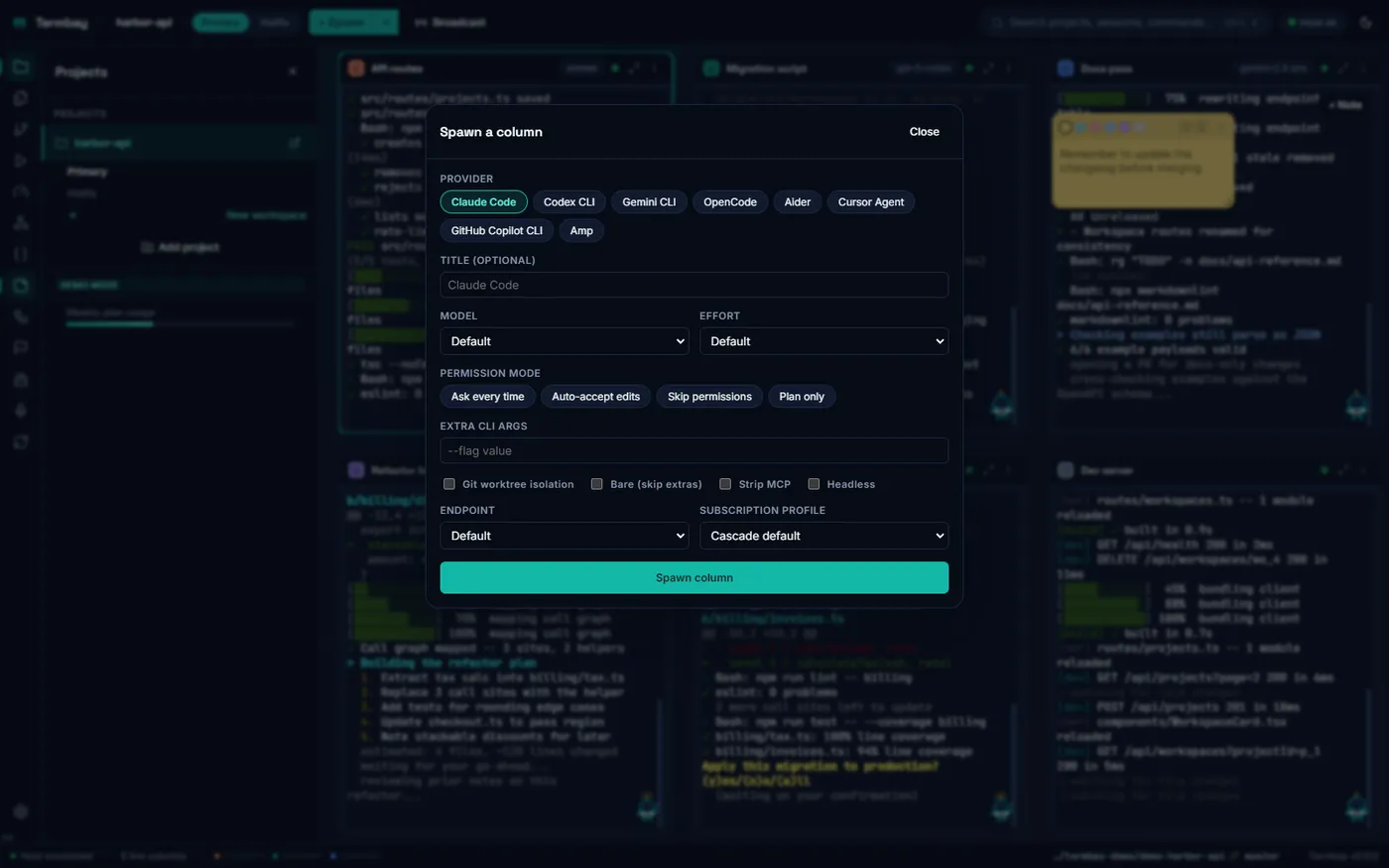
The Git panel and file explorer are scoped to the focused column's own working directory, not one fixed project root, so a column running inside a worktree shows git state relevant to it. The Run tab auto-detects .vscode/launch.json, npm scripts, .NET launchSettings.json, and Makefile targets, and dispatches each one into a fresh, contained column kept in a separate trust tier from provider columns.
Voice
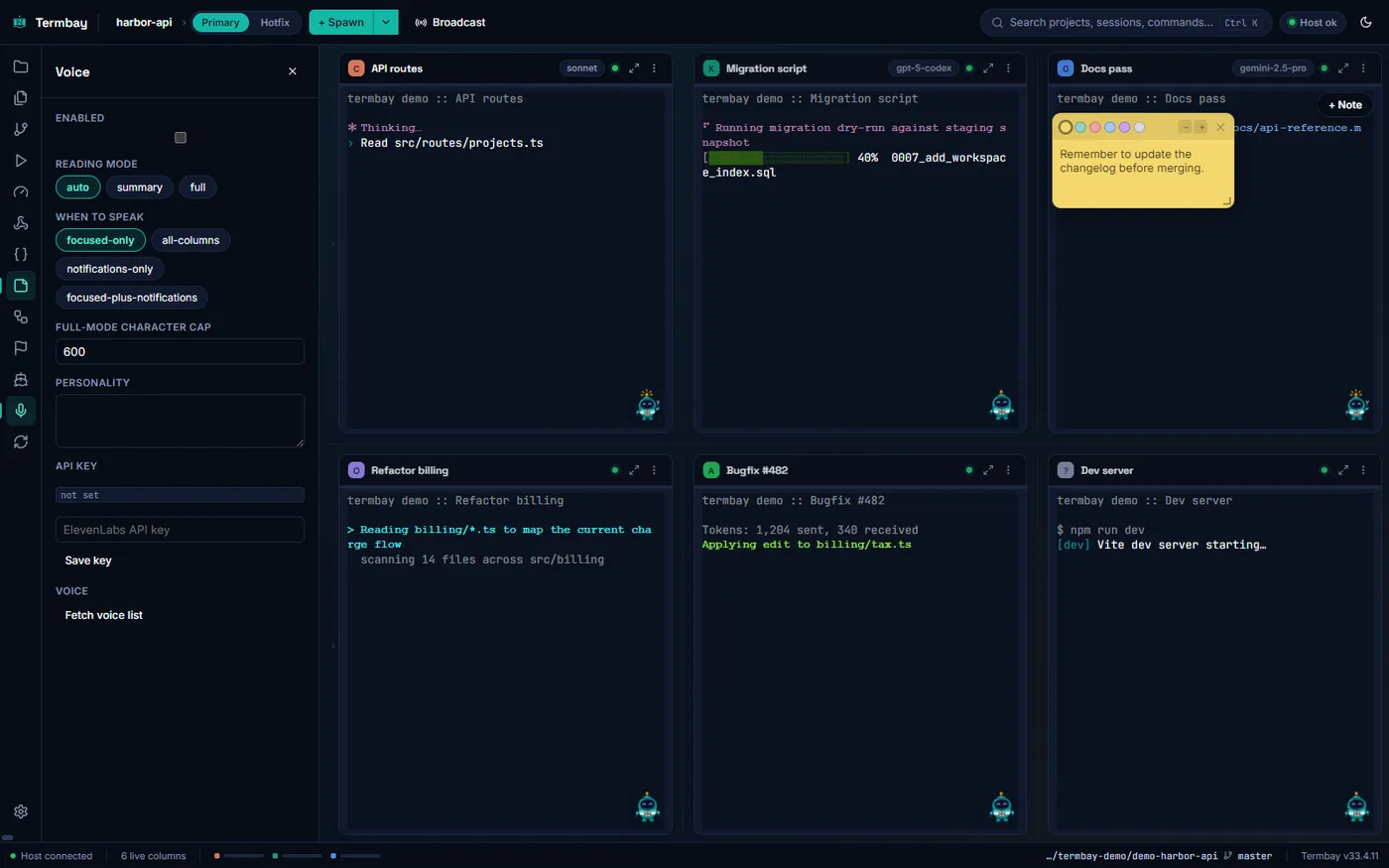
Hear your agent finish, without watching the screen
ElevenLabs-backed text-to-speech reads a column's reply back to you, with full, summary, and auto reading modes, a designated summary-marker convention, and focus-aware auto-play so it only speaks up when you're not already looking. The API key is encrypted at rest and never touches the renderer in plaintext.
Cross-device sync
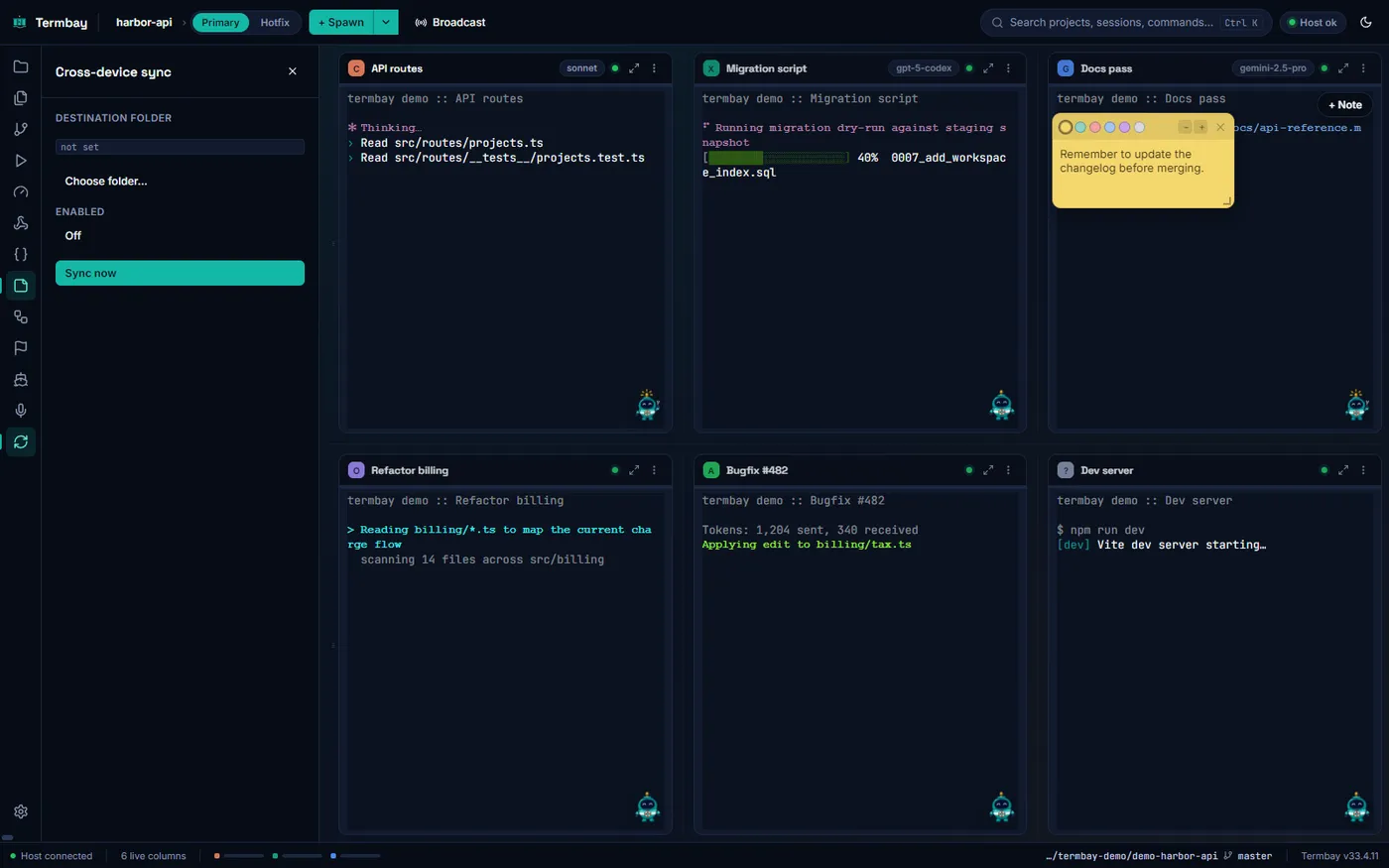
Pick up where you left off, on another machine
Mirror a project's session transcripts through any picker-selected cloud-synced folder using plain file copies and newer-mtime-wins conflict resolution that never deletes.
Fleet overview
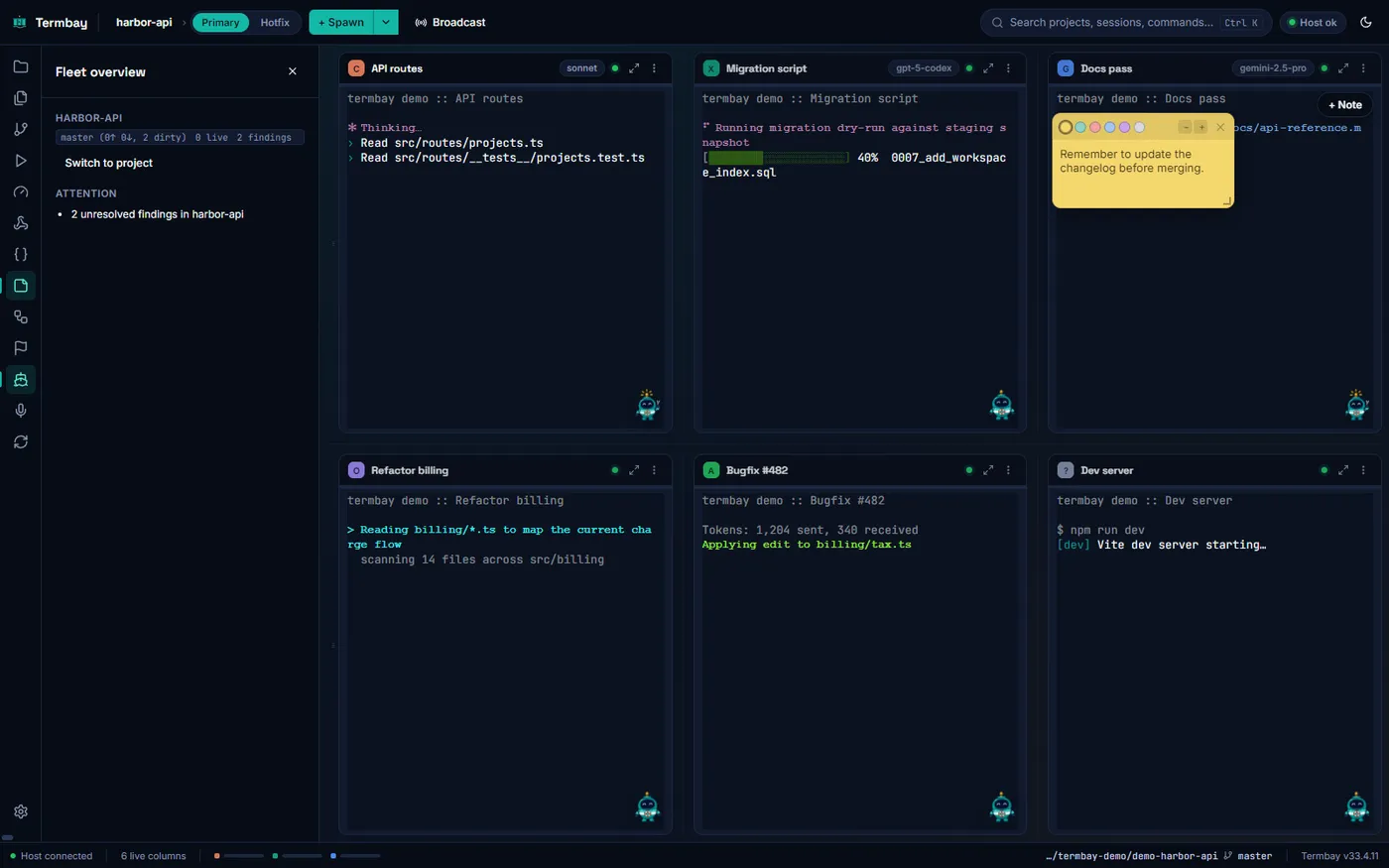
Every tracked project, one toolbar panel
Fleet Overview aggregates branch, ahead/behind, dirty state, and unresolved findings across every project you track — so you know what needs attention before you go looking for it.
Snippets & notes
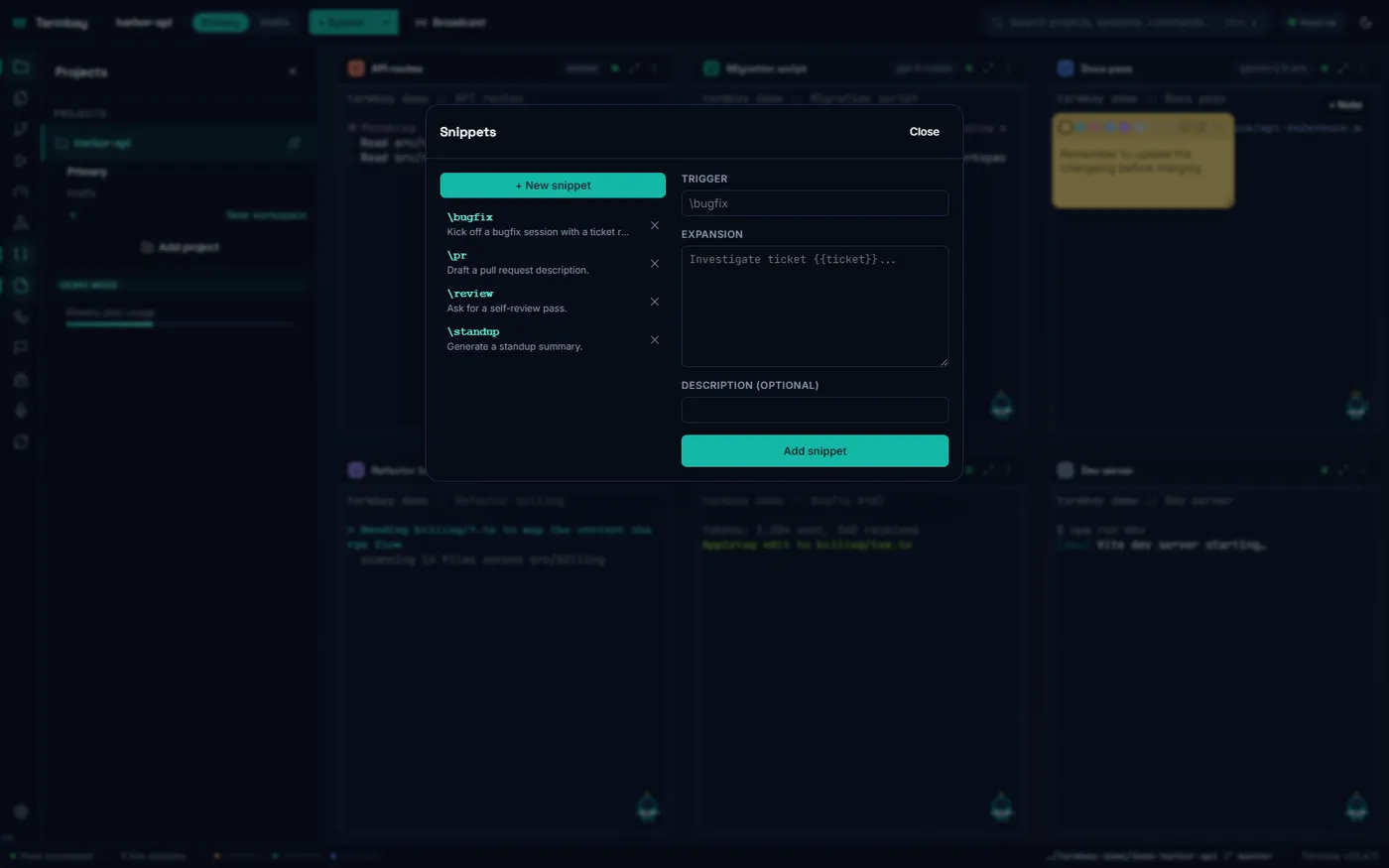
Reusable prompts and freeform notes, right over the grid
A \trigger -> expansion snippet library with {{variable}} placeholders expands live inline while you type in any column. Draggable, resizable, color-coded sticky notes float over the grid, anchored to a column or the whole layout, and degrade gracefully if their anchor column disappears.
Command palette
Everything, one keystroke away
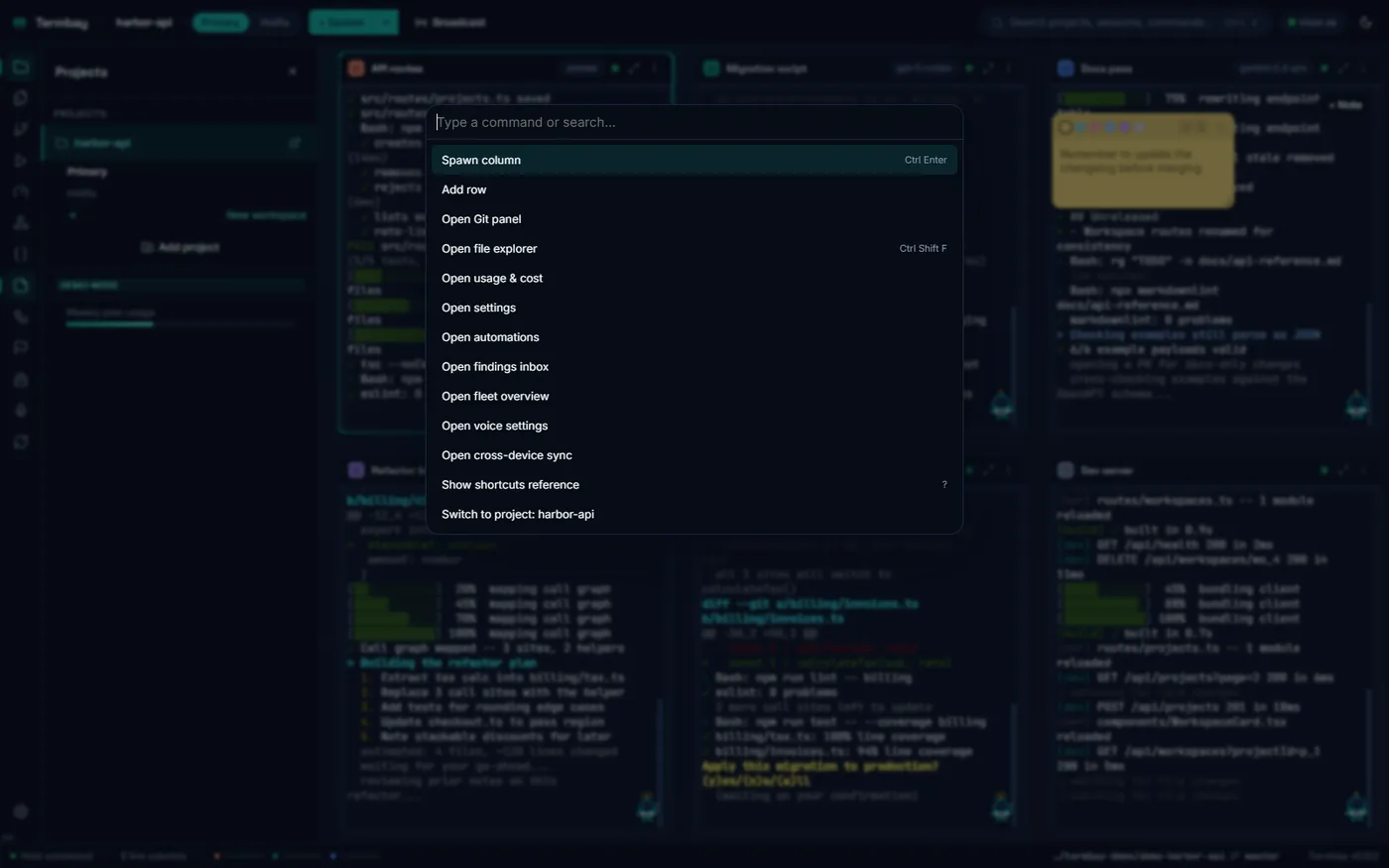
A lightweight, dependency-free fuzzy ranker — consecutive-match and word-boundary bonuses, shorter-candidate tiebreak — scoped to palette-size lists, so every command, project, and workspace is a Ctrl+K away.
Built for the compromised-renderer threat model
Security by default
Termbay treats "the renderer is compromised" as the design threat model for every IPC surface it exposes.
Token-authed local PTY host
A per-launch random token gates the terminal-host WebSocket handshake. It travels only via environment variable, never on disk or over the wire after the handshake, and the host binds to 127.0.0.1 only.
Sandboxed renderer
Context isolation and the OS sandbox are on, nodeIntegration is off, a strict Content-Security-Policy applies, and in-app navigation is locked to the packaged UI’s own origin.
Path containment
Every filesystem, git, or shell-out IPC path is realpath-verified inside an app-owned set of authorized roots before use, and re-verified immediately before any destructive operation.
Environment blocklist
Custom env vars a column spawns with are filtered through a case-insensitive blocklist (NODE_OPTIONS, PATH, dynamic-linker preload vars, module search paths) before merging into the process.
Encrypted secrets
Endpoint auth tokens and the voice feature’s API key are encrypted at rest via the OS credential backend and never returned to the renderer in plaintext.
Atomic persistence
Every JSON document is written temp-file + rename with a rolling backup and quarantine-on-corrupt-read — never a silent data loss.
See it in action
Every corner of the bay
All screenshots are captured from Termbay's own scripted demo mode
(termbay --demo) — never real agent output.
Keyboard-first
Everything, without leaving the keyboard
Termbay ships with a comprehensive, remappable shortcut set — spawning, killing, maximizing, and jumping between columns by number, committing staged changes, zooming, and more — all discoverable from an in-app reference overlay.
- CtrlK Open the command palette
- CtrlEnter Open the spawn popover
- CtrlB Toggle the projects sidebar
- CtrlShiftF Jump to the file explorer
- ? Open the full shortcuts reference
- Esc Close the active modal or popover
Questions
Frequently asked
Which coding-agent CLIs does Termbay support?
Eight built-in provider adapters — Claude Code, Codex CLI, Gemini CLI, OpenCode, Aider, Cursor Agent, GitHub Copilot CLI, and Amp — plus unlimited user-defined Custom providers. Each adapter declares its own capabilities, so the UI degrades gracefully wherever a capability (resume, usage, cost, context window, etc.) is absent instead of assuming every CLI behaves the same.
Do I need the CLIs already installed?
Yes, for any provider you actually want to spawn — Termbay is a terminal-host shell around your own CLI installs on PATH, not a bundled reimplementation of them. Demo mode (termbay --demo) works with nothing installed, using scripted output.
Is Termbay affiliated with Anthropic, OpenAI, or Google?
No. Termbay is an original, clean-room implementation. All architecture, UI copy, styling, and the Buoy mascot are original work — see the Clean-room statement in the README.
What platforms are supported?
Windows 10/11 x64 today (NSIS installer and a portable .exe). macOS (universal .dmg) and Linux (AppImage) build targets are already configured in the project but not yet built and published.
Is my data sent anywhere?
No. Termbay is a local desktop app: terminal sessions talk to a local, token-authed PTY host over 127.0.0.1 only. Cross-device sync (optional) mirrors session transcripts through a folder you pick yourself — plain file copies, no Termbay-run server.
Is it open source?
Yes, MIT licensed. The full source, architecture notes, and security model are documented in the repository README.
How many agent columns can I run at once?
As many as your machine and each provider's own concurrency limits can take — the grid supports any number of rows and columns, drag-resized and drag-reordered freely.

Dock your fleet.
Free, open source, MIT licensed. One installer, every agent.